In the ever-evolving world of digital content creation, choosing the right design tool can be a game-changer. Whether you’re crafting promotional posts, animated social media content, or branded graphics, the platform you pick should align with your creative goals and technical comfort. Among the popular options available today, two names often stand out: Canva and Ripl. Both serve unique audiences and purposes, but they differ in features, functionality, and flexibility. This article takes a closer look at how they compare to help you decide which design tool is best suited for your needs.
Features and capabilities of Canva
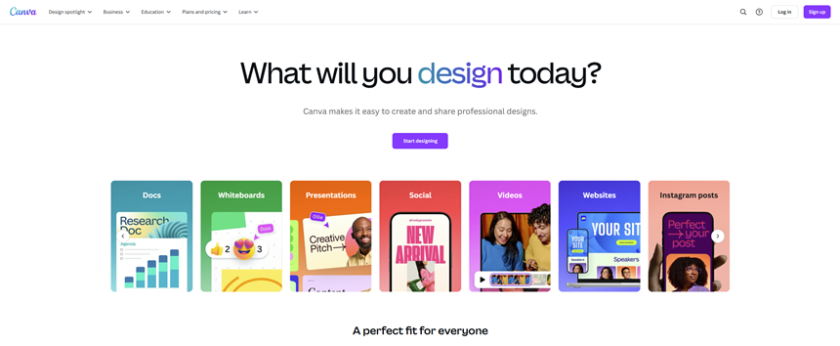
Canva has earned a strong reputation as a comprehensive graphic design platform for beginners and professionals alike. Its appeal lies in its vast template library, which spans everything from social media posts and resumes to business cards and presentations. Canva’s drag-and-drop interface is intuitive, allowing users to design with minimal learning curve.
The platform also offers collaborative tools, making it a favorite for teams and marketing departments. Users can comment, tag teammates, and track changes in real-time. For content creators, Canva’s scheduling feature and integrations with platforms like Facebook, Instagram, and LinkedIn streamline publishing. With additional features like Magic Resize, Brand Kits, AI text-to-image tools, and a built-in content planner, Canva balances ease of use with powerful design capabilities.
Features and capabilities of Ripl
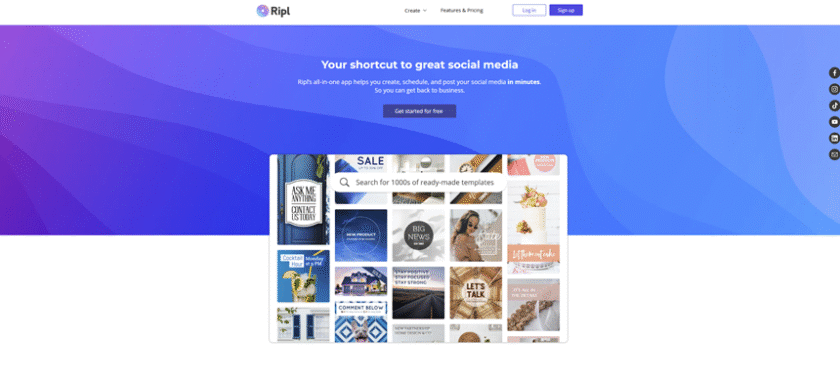
Ripl is a mobile-focused design platform geared toward small businesses and social media managers looking to create eye-catching animated posts and videos. Its core strength is simplicity. Ripl offers a focused set of features that help users produce short-form marketing content quickly, without needing advanced design skills.
The app provides pre-sized templates for popular platforms like Facebook, Instagram, and Twitter, as well as access to a growing library of stock photos and music. Ripl stands out with its animation capabilities—users can add movement to text and images, create dynamic video slideshows, and overlay audio for more engaging visuals. Its post-scheduling and performance tracking tools also allow creators to manage content campaigns efficiently from their phones.
Pros and cons of using Canva for design projects
Canva stands out for its versatility and advanced features. Users have the ability to create a wide range of content, from simple social media posts to professional presentations, all within one user-friendly interface. The free plan is generous, while the Pro plan offers premium tools such as background remover, exclusive assets, and AI design assistants. This makes Canva a clear winner in the world of graphic design platforms.
For some users, Canva may seem overwhelming due to its feature-rich environment. While the interface is clean, the sheer number of options can be daunting for those only needing quick, animated social media posts.
Pros and cons of using Ripl for design projects
Ripl stands out as the ultimate choice for those seeking a seamless and swift experience in crafting content tailored for mobile devices. It is perfect for individuals who prioritize concise, dynamic content designed specifically for social media platforms. With its cutting-edge features and tools, Ripl empowers users to create eye-catching visuals that captivate audiences effortlessly. Additionally, its scheduling capabilities and detailed analytics provide small business owners with valuable insights into their audience engagement levels.
In comparison, Ripl is more specialized in its functionality. It may not offer the same level of versatility as other platforms with advanced customization tools and multi-format content creation capabilities. Additionally, its desktop features are somewhat limited when compared to the robust options available on its mobile app.
Final thoughts on choosing between Canva and Ripl
When deciding between these two platforms, it ultimately comes down to your creative priorities. Canva is the clear winner for users looking for an advanced all-in-one design hub with extensive capabilities in both print and digital formats. It caters to marketing teams with its powerful features while remaining accessible for individual creators. On the other hand, Ripl stands out as the final choice for those seeking to quickly create animated content, especially for social media, and who prefer working on a mobile device.
In the end, your ultimate design tool choice comes down to whether you prioritize versatility and control or speed and simplicity in your creative process.